 Bubbles Aro|VeilonSavoraBrevioNexoraMeetBloomAll products →
Bloom gently plans your day into morning, afternoon and evening, helps you tick off the habits that matter, and checks in on how you feel — so good days grow, one small step at a time.
Works in your browser on phone, tablet and computer · Your routines sync to your account
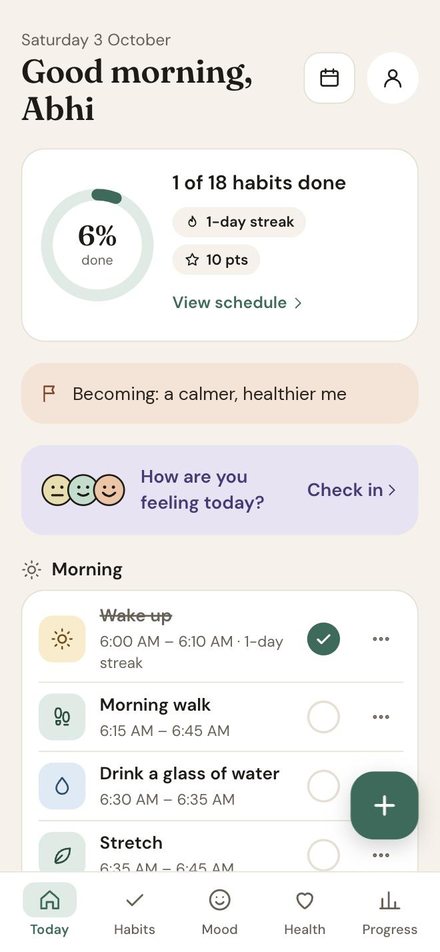
Most planners want you to do more. Bloom is about doing the few small things that make you feel better — waking up on time, a short walk, a glass of water, a few lines in a journal — and doing them gently, every day.
It puts your routine in the order your day actually happens, shows you what's next, and celebrates the little wins with streaks and points. When a day goes off track, a quick mood check-in helps you notice it and start again tomorrow.
Simple on the surface, thoughtful underneath.
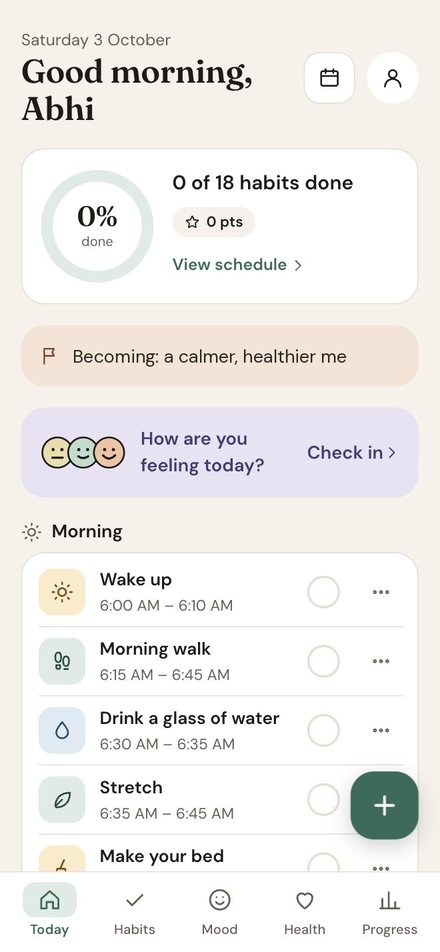
Habits are grouped into Morning, Afternoon and Evening and sorted by time, so you always know what comes next.
One tap marks a habit done. Watch the ring fill up as your day goes on.
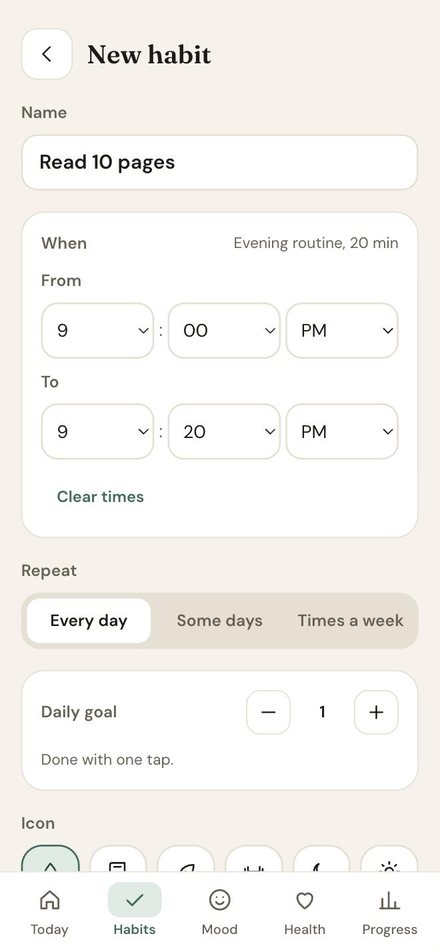
Some habits need more than a tick. Use + and − for things like 8 glasses of water.
Every habit builds a streak and earns points, so small wins add up and keep you going.
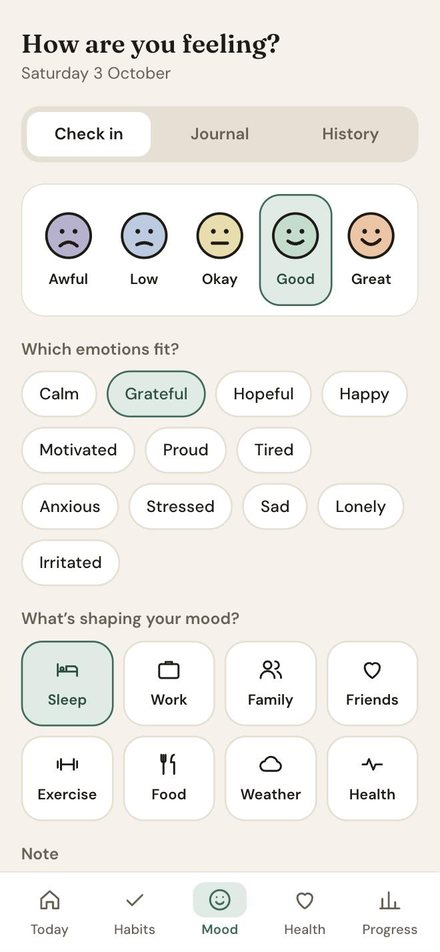
"How are you feeling today?" A ten-second check-in that helps you notice patterns over time.
See your health habits and how your week is going, with clear progress charts.
Add your own habits with a time and an icon, or edit and remove any of them from the ⋯ menu.
Sign in with your account and your routines follow you from phone to laptop.
Add Bloom to your home screen and it opens full screen, just like an app — no app store needed.
Watch the steps, then try it yourself.
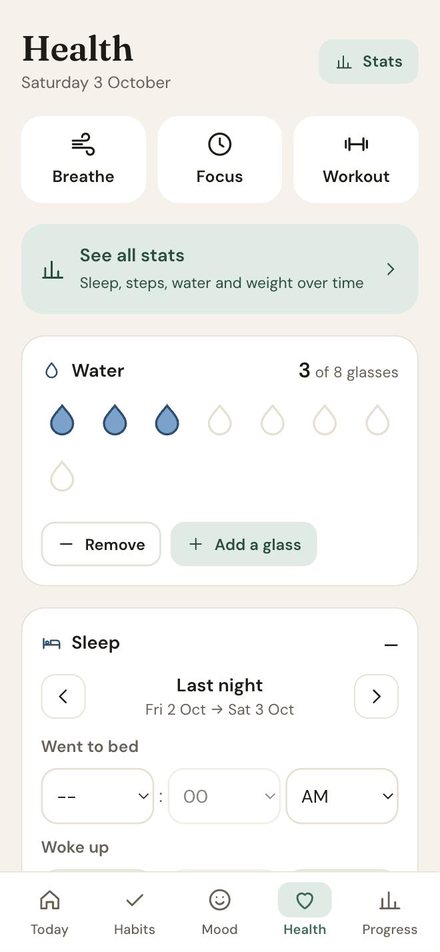
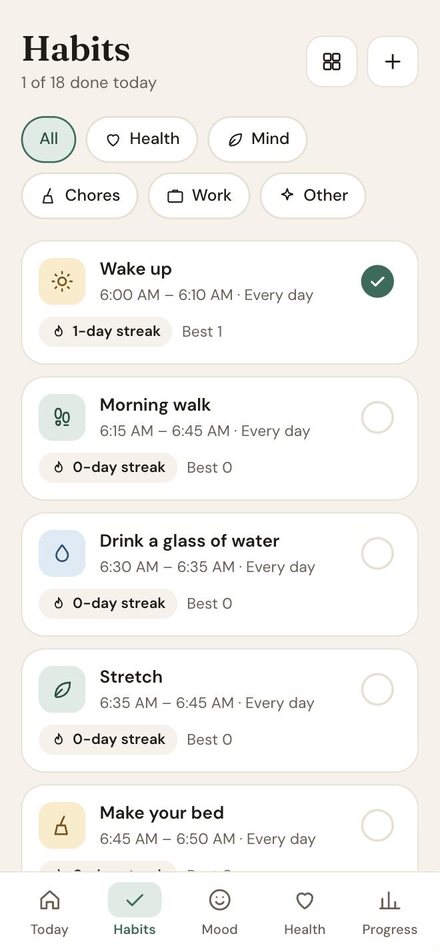
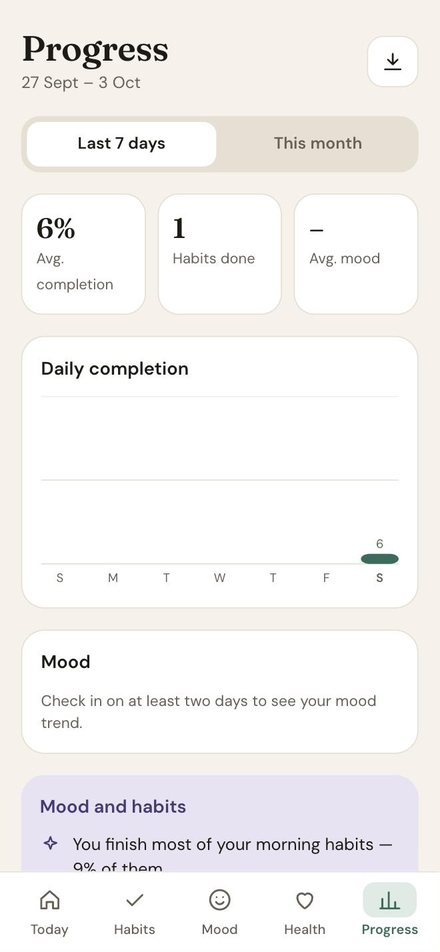
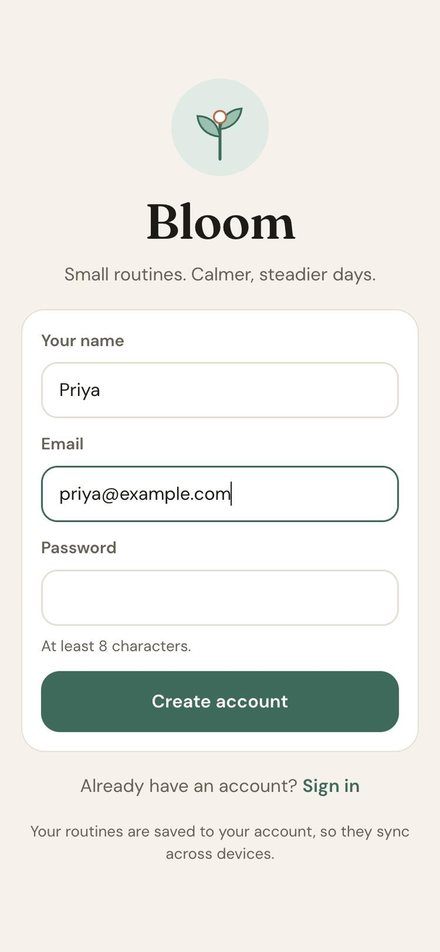
Bloom installs straight from the app — no app store needed. It gets its own icon and opens in its own window, just like any other app.
Sign in first — the Install app button is in Profile → App.
Bloom is free and runs right in your browser. Open it, create an account, and your first routine is ready.
Open Bloom →Yes. Bloom is free to use.
Yes. In Bloom, tap your profile icon (top right) and choose App → Install app (Chrome or Edge on Android, Windows and Mac). On iPhone, open Bloom in Safari, tap Share → Add to Home Screen. You can also just use it in your browser.
Your routines, streaks and mood check-ins are saved to your account, so they're safe and sync across all your devices.
Of course. Use the green + button to add a habit, and the ⋯ menu on any habit to edit or remove it.
Bloom is created by Shaik Mahammed Haneef and is part of the Bubbles Aro family of apps.
 Bloom
Bloom